Presenter view
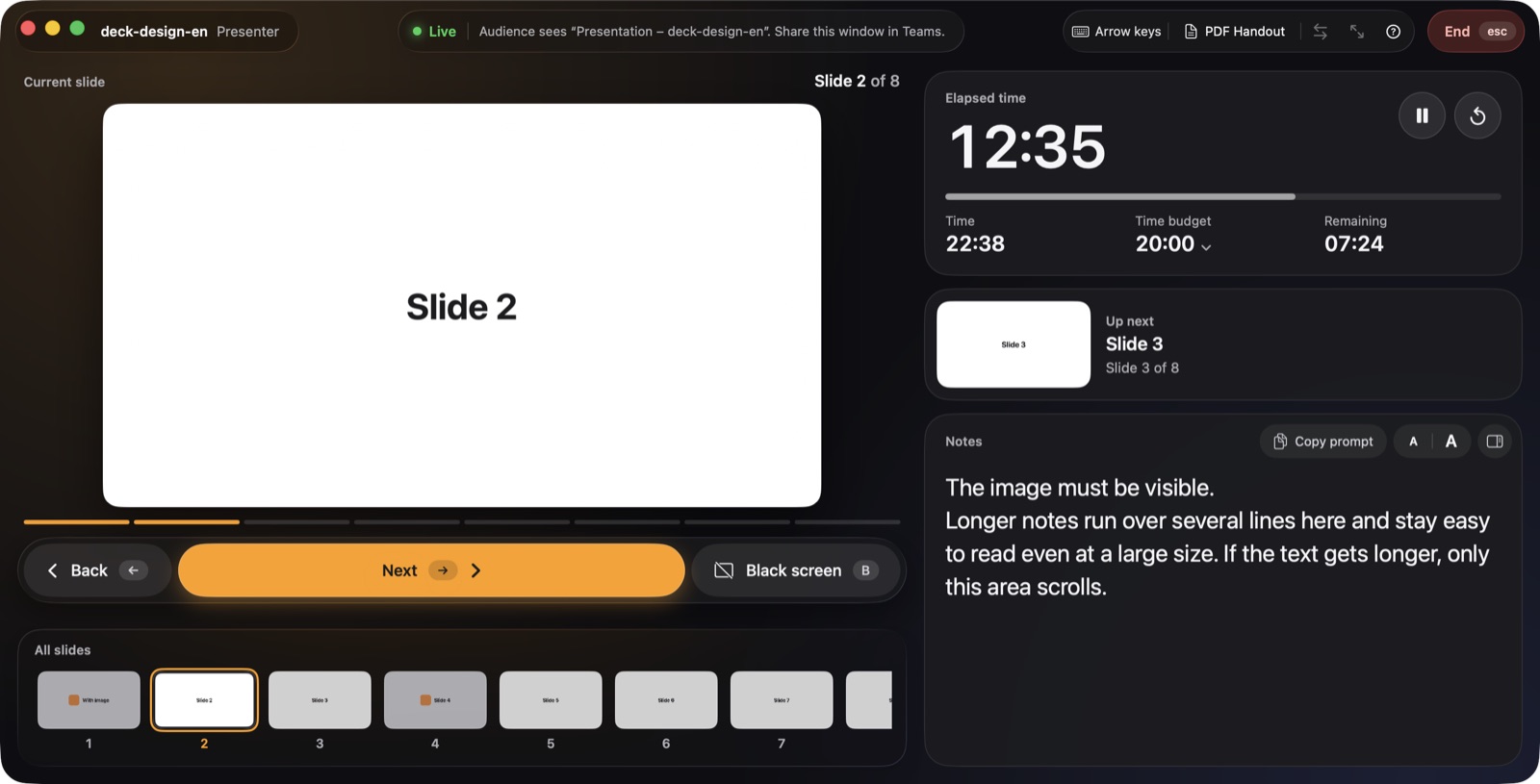
Current and next slide, all thumbnails and one clear Next button. Just like desktop presentation apps.

Presenter view for HTML presentations on the Mac
Slides, notes and time at a glance. presenthtml plays HTML presentations from Claude, reveal.js and other tools – with a presenter view for your talk on the Mac.
Features
Current and next slide, all thumbnails and one clear Next button. Just like desktop presentation apps.
Full screen on a second display. Without one, in its own window that you share in Teams or Zoom.
Elapsed time, clock and time remaining. If you run long, you see the overtime right away.
Bullet points hide inside the HTML and show up only for you. The audience never sees them.
No special format required. Works with HTML presentations from Claude, reveal.js and other tools.
Arrow keys, space bar and presentation clickers work without any setup.
All slides as a PDF, with your notes alongside if you like.
English, German, French and Chinese. The app follows your system language.
How it works
Drag your HTML presentation onto the window or choose it.
Audience on the projector, presenter display on your MacBook. Or a window for Teams.
Press Space. The timer starts and you guide your audience through the talk.
The view
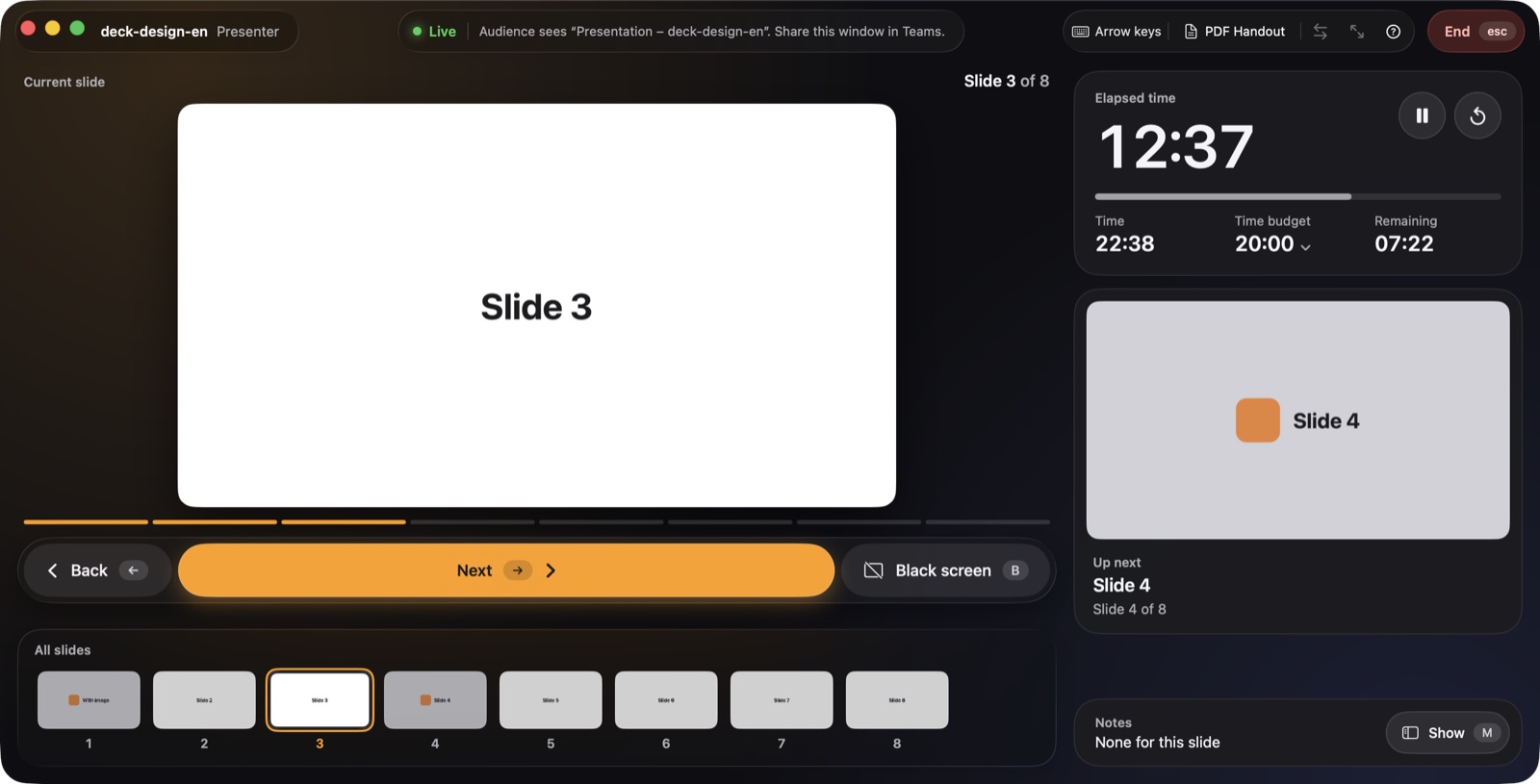
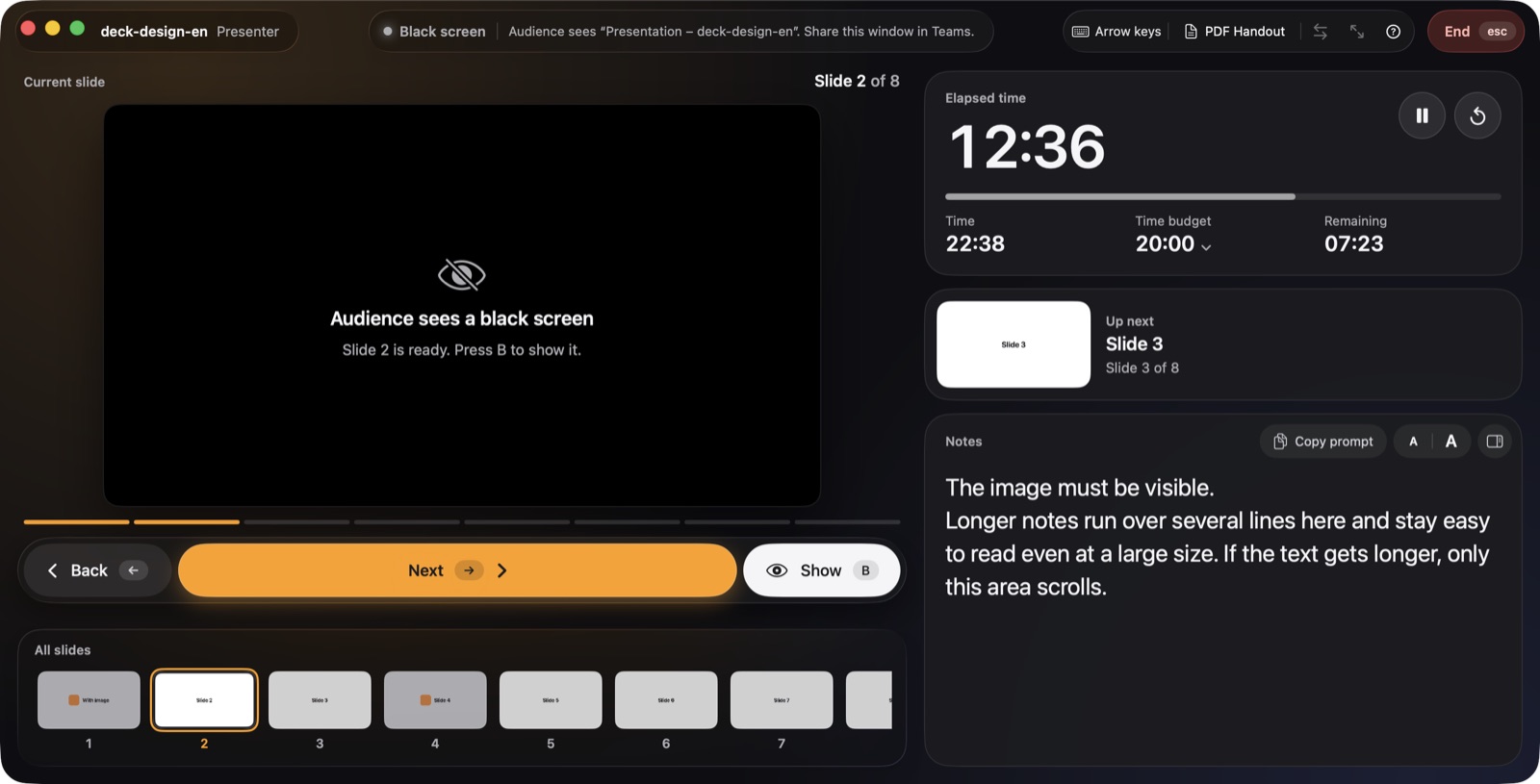
The presenter display stays out of the way of your talk: a large slide, a calm reading area, clear states.
Notes with Claude
Give Claude this text together with your presentation. The notes end up hidden in the HTML file and appear on your presenter display with the matching slide.
Add speaker notes as bullet points to every slide. Format:
Each slide is its own element (e.g. <section class="slide">). The notes
go INSIDE that slide element as
<aside class="notes"><ul><li>Bullet point</li>…</ul></aside>.
Hide them with CSS: aside.notes { display: none; }.
Optionally add a short intro sentence as <p> before the list.
Privacy
Guides
The complete guide: from a good prompt through notes and testing to your talk on a projector or in Teams.
Read the guide →Share HTML slides in Teams while your notes and next slide stay private.
Read the guide →PowerPoint, Keynote, Google Slides and HTML: notes, next slide, timer and Teams.
Read the guide →FAQ
Download the HTML file from Claude and open it in presenthtml. The audience sees the slides in full screen on the projector or in a separate window for Teams, while you see the presenter view with the next slide, time and notes. Press the space bar to start.
Yes. presenthtml adds a presenter view to any HTML presentation, like in desktop presentation apps: current and next slide, thumbnails of all slides, clock, elapsed time, time budget and speaker notes.
Yes. Without a second display, presenthtml opens the presentation in its own window called “Presentation – file name”. Share that window in Teams or Zoom. Your notes and the next slide stay in the presenter window, which is not shared.
Notes sit inside each slide as <aside class="notes"> and are hidden with CSS. presenthtml includes a ready-made prompt that has Claude write the notes straight into your deck. For reveal.js, presenthtml also reads notes through the reveal.js API.
Yes. presenthtml detects reveal.js presentations, advances them through the reveal.js API and shows the speaker notes in the presenter view. Fragments count as separate steps.
No. With a projector or second display, the presentation runs there in full screen. Without one, it opens in its own window that you can share in video calls.
presenthtml runs on macOS 13 and later, on Macs with Apple silicon and Intel. The interface is available in English, German, French and Chinese.
No. presenthtml opens your files only locally on your Mac, needs no account and collects no data.